

Qubes OS
Background
The Qubes operating system configures a set of virtual machines for different purposes such as:- personal
- Your personal email, browsing etc
- work
- Work email etc
- vault
- a VM without network access, where gpg-keys and/or keepass credentials are stored.
- sys-net provides networking to all other (network-enabled) machines
- sys-firewall handles firewall rules
- sys-usb handles USB devices, and can map usb-devices to certain qubes.
Setup
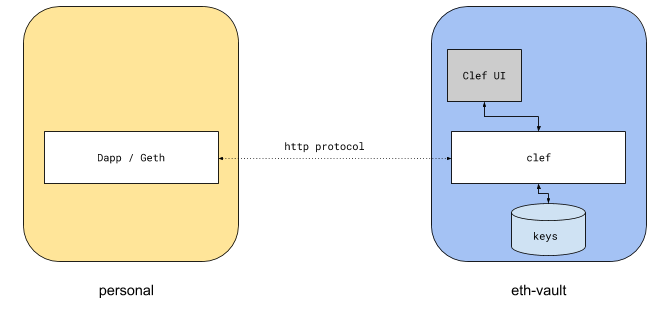
There are two ways that this can be achieved: integrated via Qubes or integrated via networking. 1. Qubes Integrated Qubes provides a facility for inter-qubes communication via qrexec. A qube can request to make a cross-qube RPC request to another qube. The OS then asks the user if the call is permitted.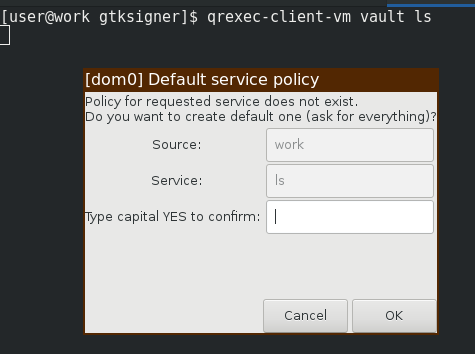 A policy-file can be created to allow such interaction. On the target domain, a service is invoked which can read the stdin from the client qube.
This is how Split GPG is implemented. Clef can be set up in the same way:
A policy-file can be created to allow such interaction. On the target domain, a service is invoked which can read the stdin from the client qube.
This is how Split GPG is implemented. Clef can be set up in the same way:
Server
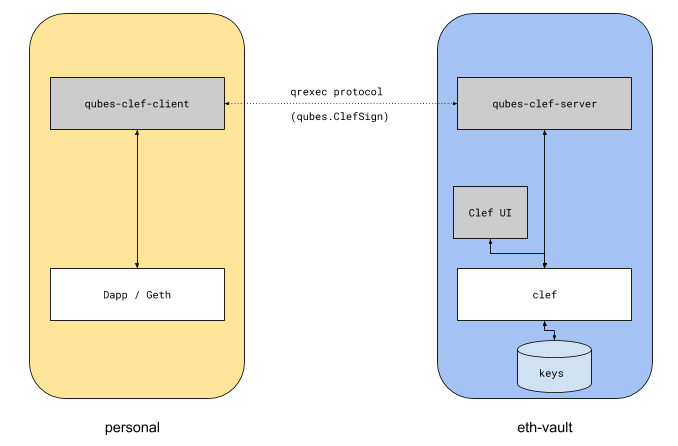 On the
 target qubes, we need to define the RPC service.
/home/user/.clef/.clef.ipc socket via e.g nc -U /home/user/.clef/clef.ipc, but the reason for sending the request data over HTTP instead of IPC is for the ability to forward HTTP headers.
To enable the service:
Client
On the client qube, a listener is required to receive the request from the Dapp, and proxy it.Testing
To test the flow, with debian-work as the target: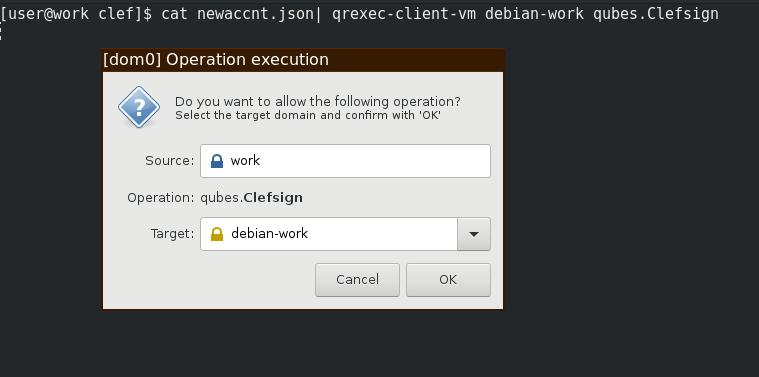 Followed by a GTK-dialog to approve the operation:
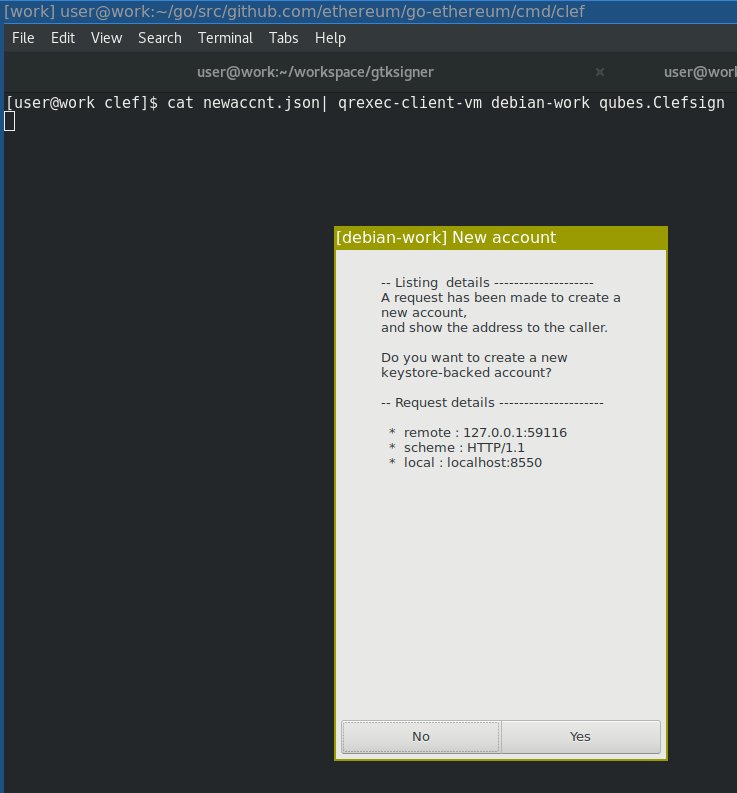 To test the full flow, start the client wrapper on the client qube:
Pros and cons
The benefits of this setup are:- This is the qubes-os intended model for inter-qube communication,
- and thus benefits from qubes-os dialogs and policies for user approval
- The qubes-gpg-client must forward the http request via RPC to the target qube. When doing so, the proxy will either drop important headers, or replace them.
- The Host header is most likely localhost
- The Origin header must be forwarded
- Information about the remote ip must be added as a X-Forwarded-For. However, Clef cannot always trust an XFF header, since malicious clients may lie about XFF in order to fool the http server into believing it comes from another address.
- Even with a policy in place to allow RPC calls between caller and target, there will be several popups:
- One qubes-specific where the user specifies the target vm
- One clef-specific to approve the transaction
USBArmory
The USB armory is an open source hardware design with an 800 MHz ARM processor. It is a pocket-sized computer. When inserted into a laptop, it identifies itself as a USB network interface, basically adding another network to your computer that can be used to SSH into the device. Running Clef off a USB armory means that the armory can be used as a very versatile offline computer, which only ever connects to a local network between the local computer and the device itself. Needless to say, while this model should be fairly secure against remote attacks, an attacker with physical access to the USB Armory would trivially be able to extract the contents of the device filesystem.Summary
This page introduced two ways to setup Clef that give additional security compared to running on a normal laptop.Adapted from Advanced setup in the go-ethereum documentation, © The go-ethereum Authors. See the third-party notices.